# Caldera
## What does Caldera do?
Caldera specializes in building high-performance, customizable, and application-specific layer-two blockchains. These custom-built blockchains **(Caldera Chains)** offer high throughput, low latency, and customizable features for optimizing the performance and user experience of decentralized applications, with the ability to process hundreds of transactions per second and sub-second confirmation times.
## How does Caldera do it?
We create ***Caldera Chains*** which are custom-built optimistic rollups. These rollups are:
1. **Fast:** Process hundreds of transactions per second with sub-second confirmation times
2. **Highly Customizable:** Features such as address whitelist or sustainable revenue generation.
3. **Ethereum Compatible:** Runs standard Ethereum smart contract code without modification
For more info on how Caldera works visit, the [Caldera docs](https://calderaxyz.gitbook.io/caldera-documentation/getting-started/overview)
## Getting Started with Caldera L2 Testnet
Let's take a look at how we can start using Caldera L2 Testnet, which is a rollup on the Cronos Testnet.
1. Visit: [Caldera Public Testnets](https://calderaxyz.gitbook.io/caldera-documentation/getting-started/caldera-public-testnets)
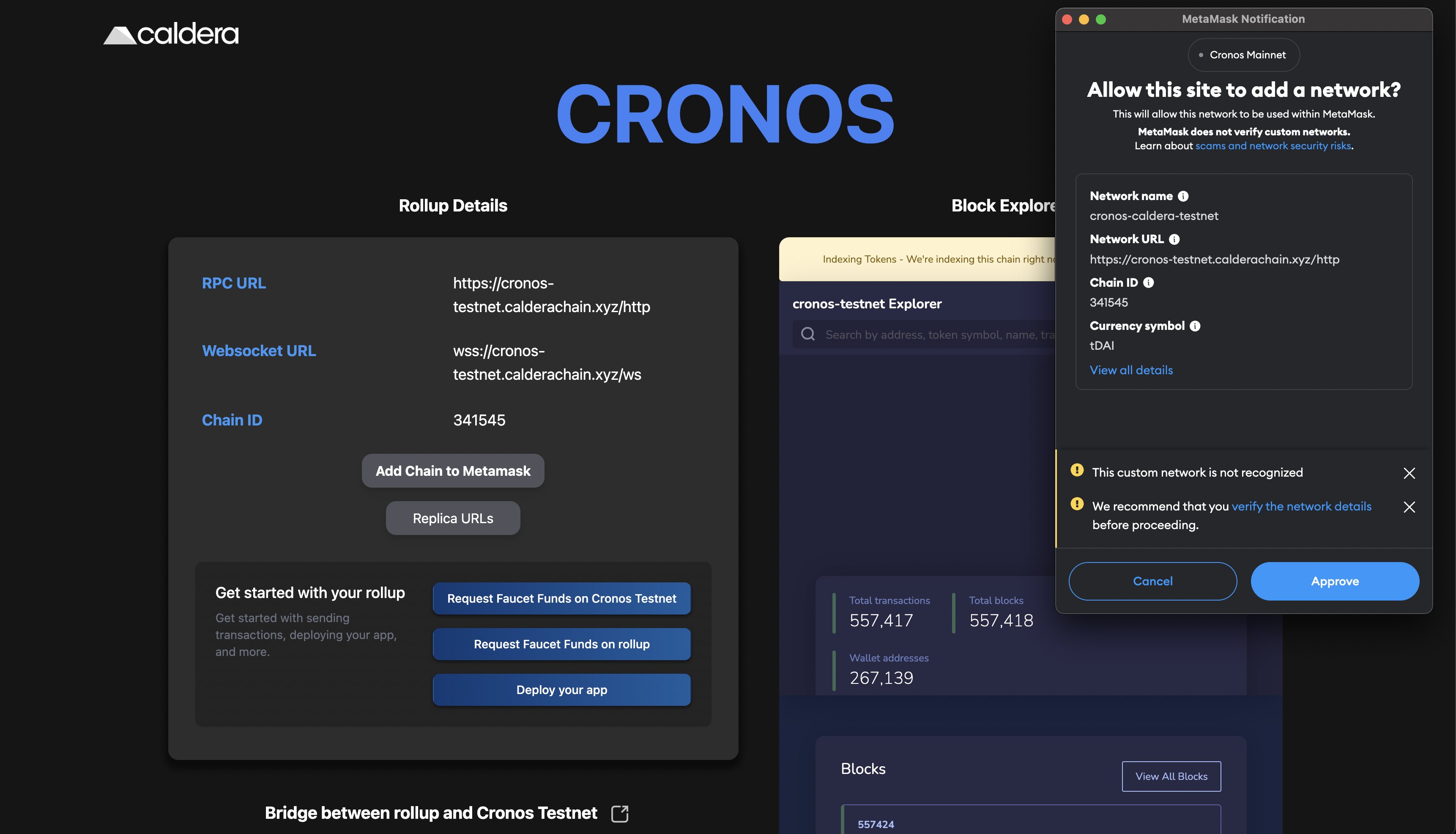
2. Add chains to metamask via the "add to metamask button"
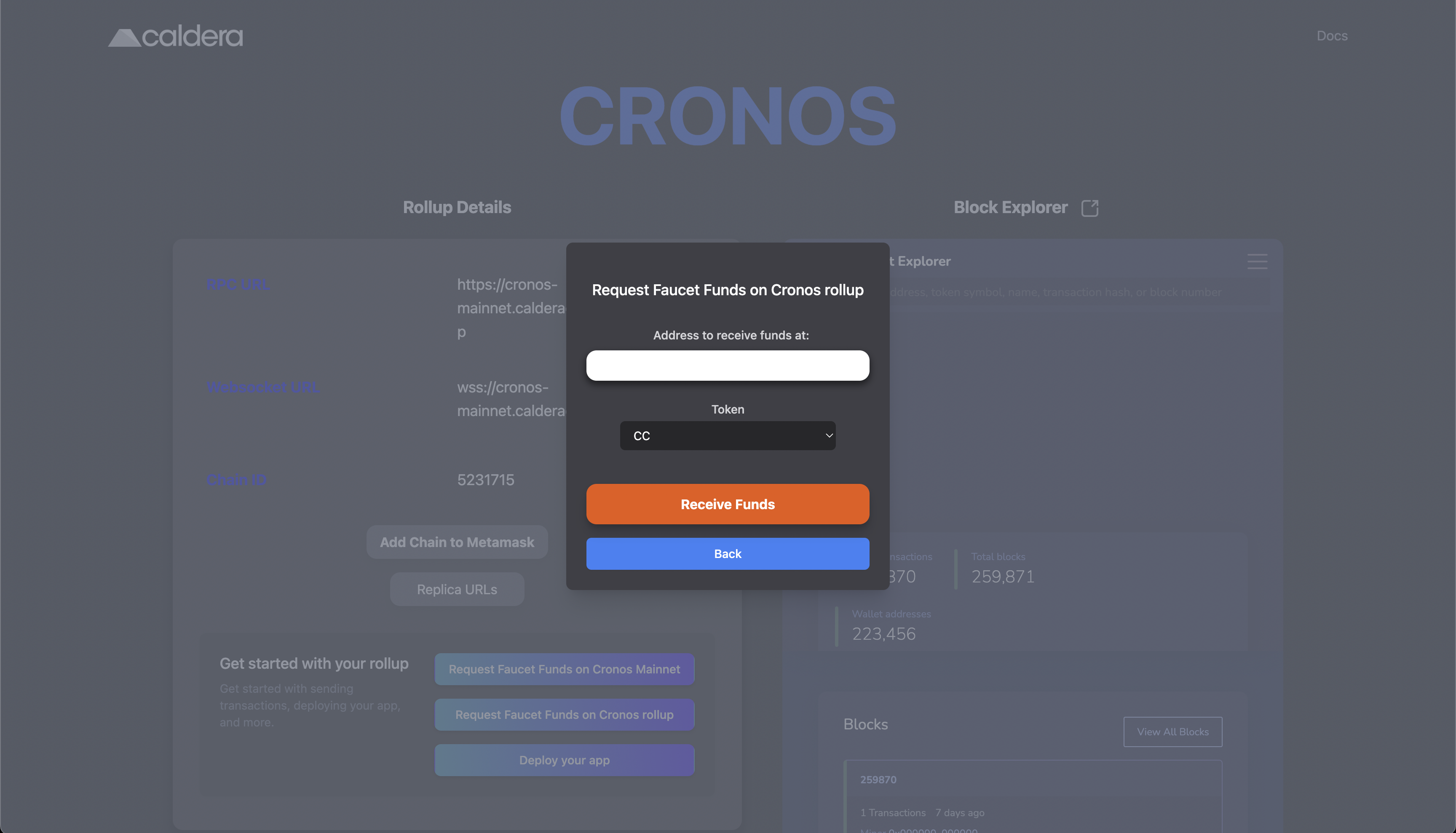
3. Request testnet tokens via the faucet.\
If you want to send transactions on Caldera, then choose **"Request Faucet funds on rollup"**,\
if you want to send from Cronos to Caldera, then choose **"Request Faucet funds on Cronos "**\
Now type in your address you wish to receive funds on and click "**receive Funds"**
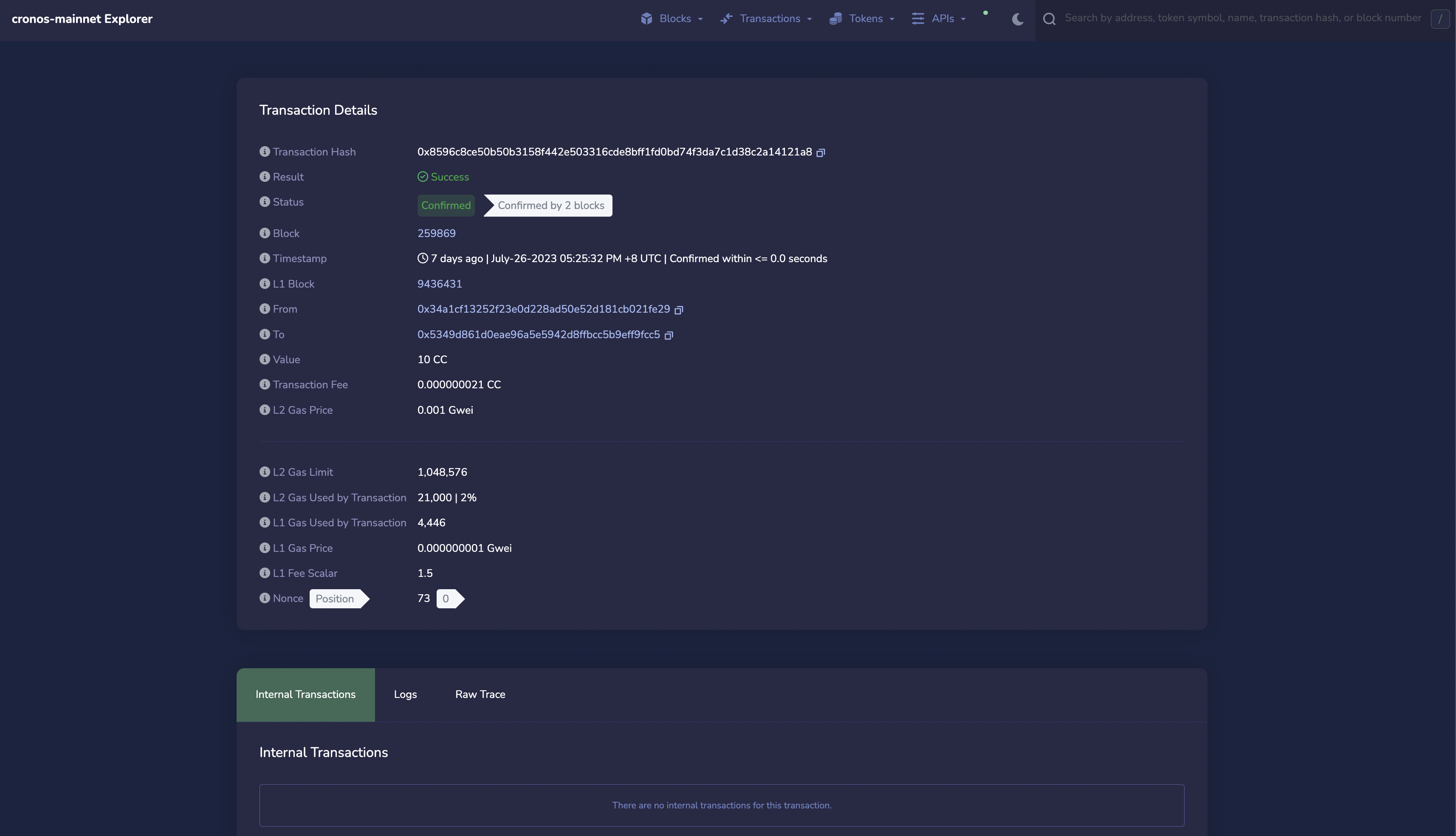
4. When you send transactions via Metamask on the Caldera explorer, you can view these transactions using the caldera explorer: .\
\
For example the Faucet Transaction, which you may recognize is a similar interface to what other EVM blockscout explorers use:
5. From here on you can start building just like you would on another L2 optimistic rollup. You can deploy your application onto a Caldera Chain via the same means as any Ethereum-compatible blockchain. For more tutorials on how to deploy on Caldera, visit the [Caldera docs](https://calderaxyz.gitbook.io/caldera-documentation/getting-started/deploy-on-a-caldera-chain)\\
6. In order to deploy on mainnet, you can use:
*
* \
\\